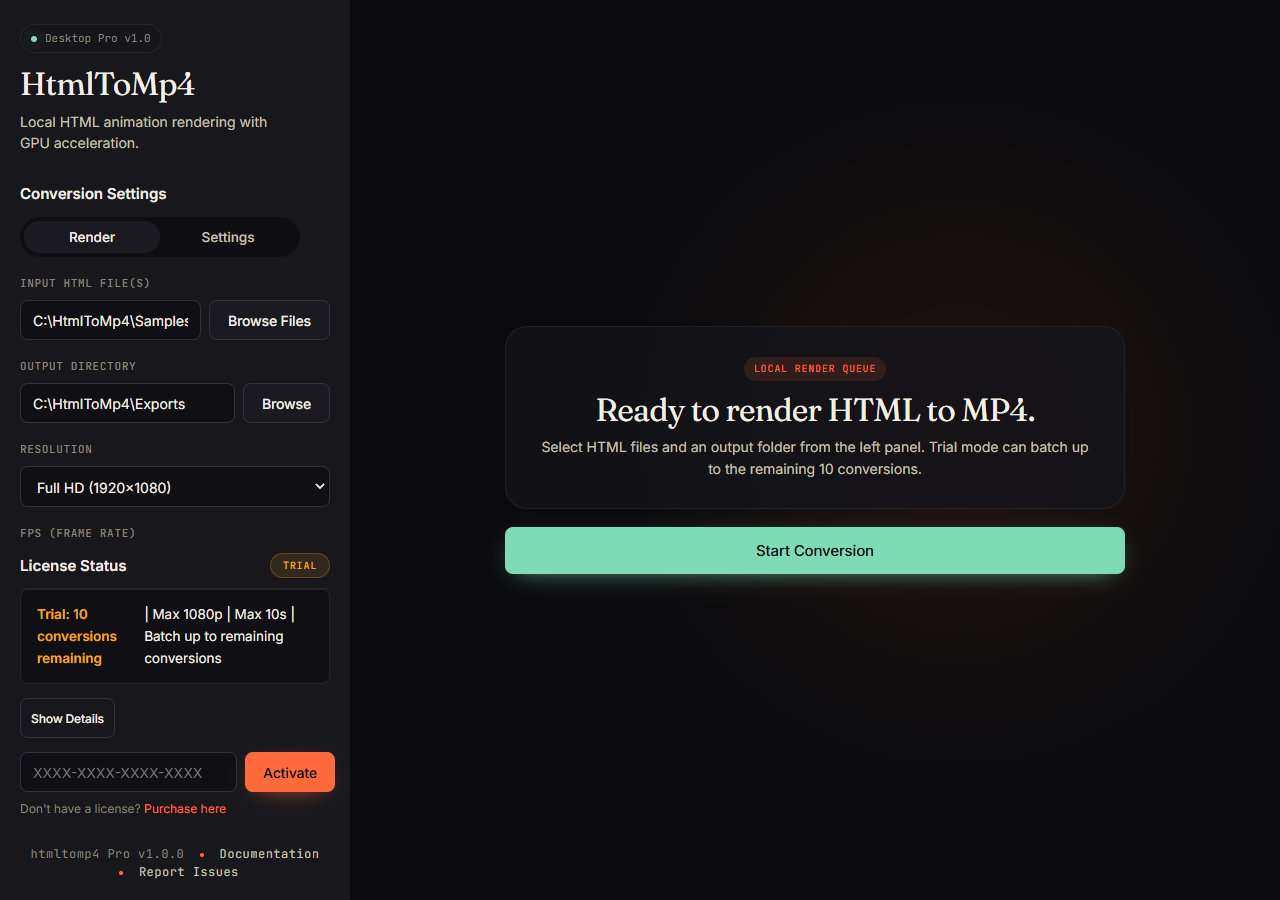
01
Trial-ready app
Select local HTML files, choose an output folder, and confirm trial limits before rendering.
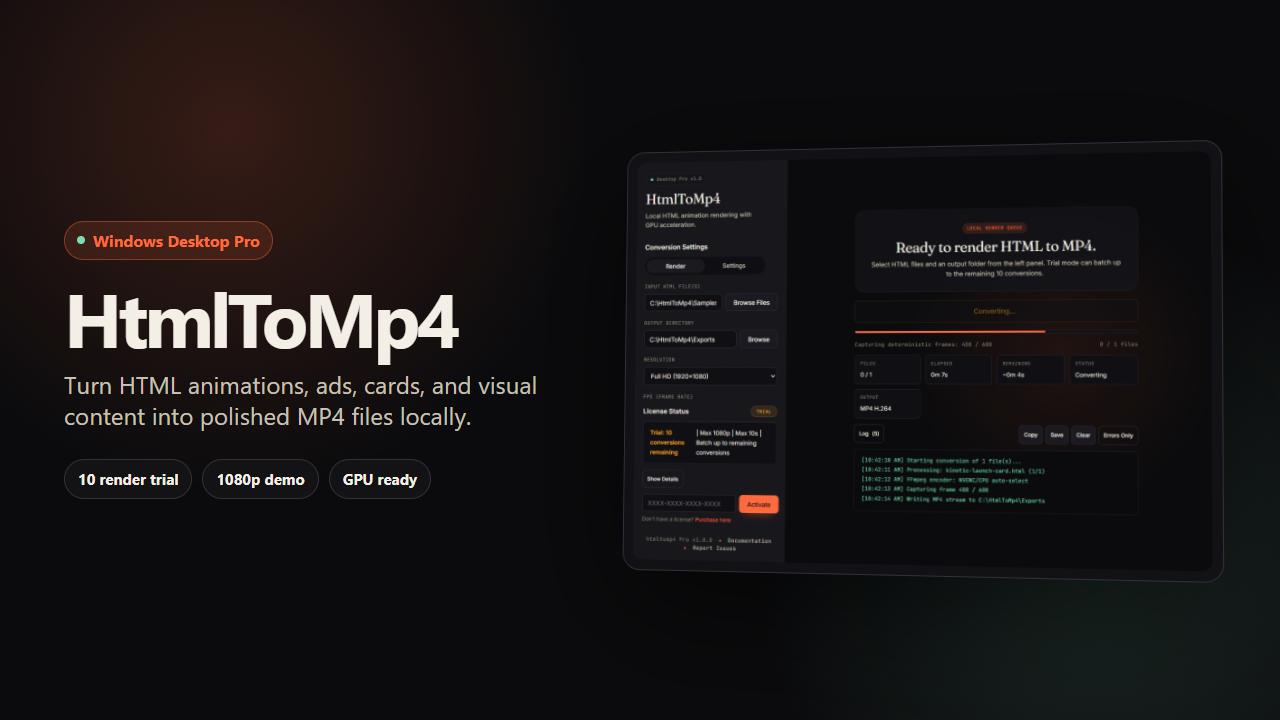
Deterministic local HTML-to-video rendering for creators, developers, agencies, and automation workflows - packaged as a Windows x64 desktop app and wired to a GPU-accelerated FFmpeg pipeline.
Product proof
These are real captures from the Windows x64 trial flow: file selection, encoder detection, render progress, completion, and the final MP4 output.
01
Select local HTML files, choose an output folder, and confirm trial limits before rendering.
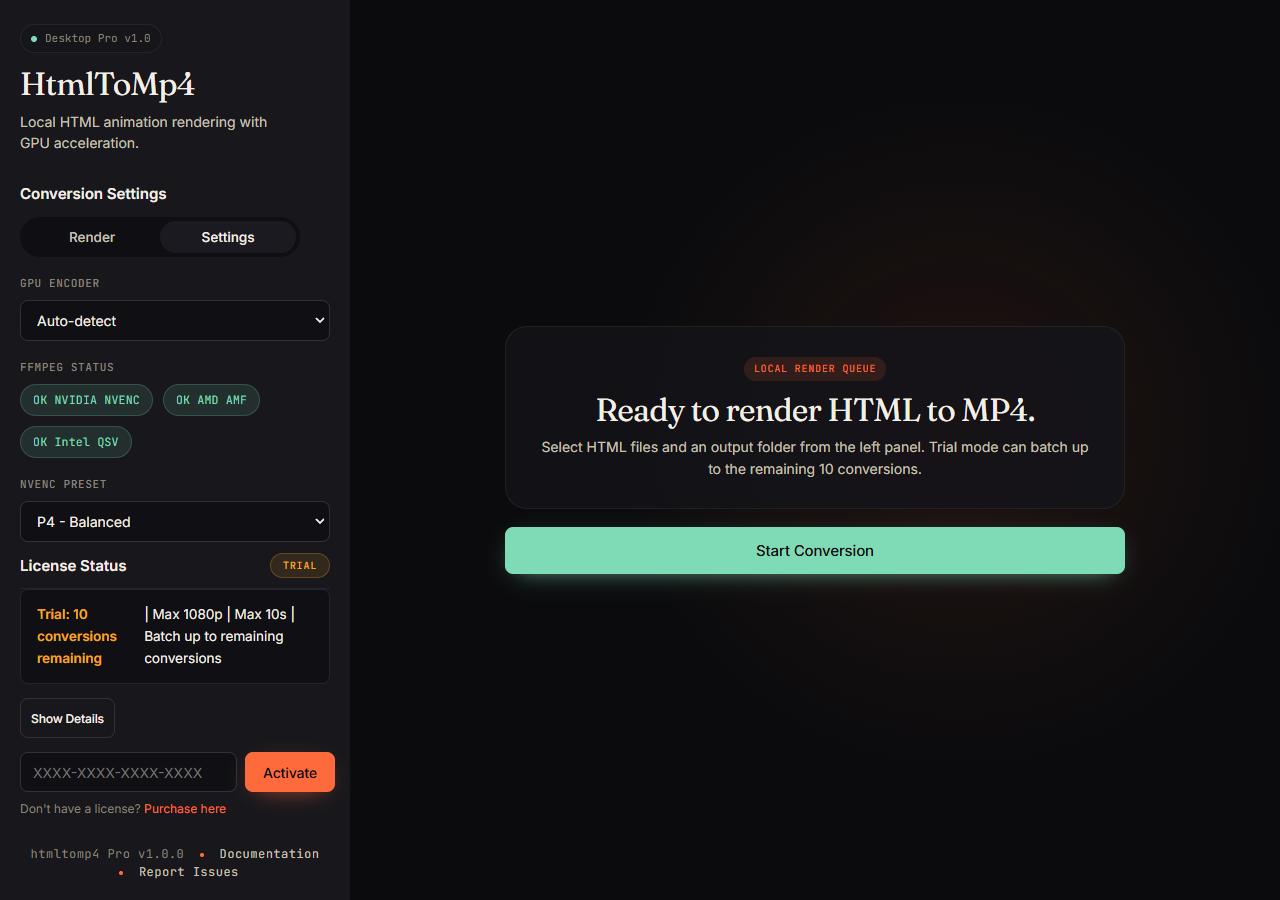
02
Auto-detect encoder support, choose the NVENC preset, and fall back to CPU when needed.
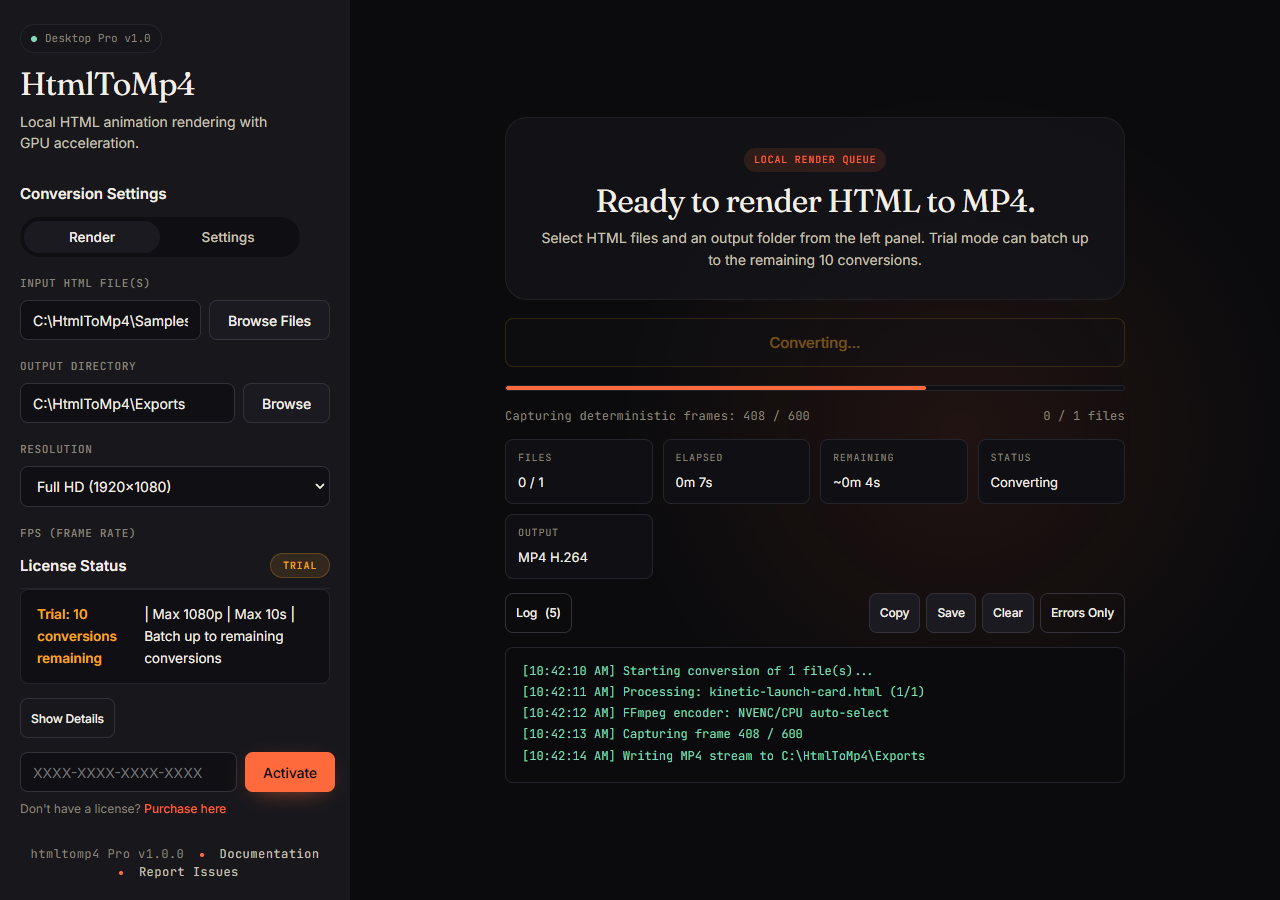
03
Track captured frames, elapsed time, remaining time, output format, and logs while rendering.
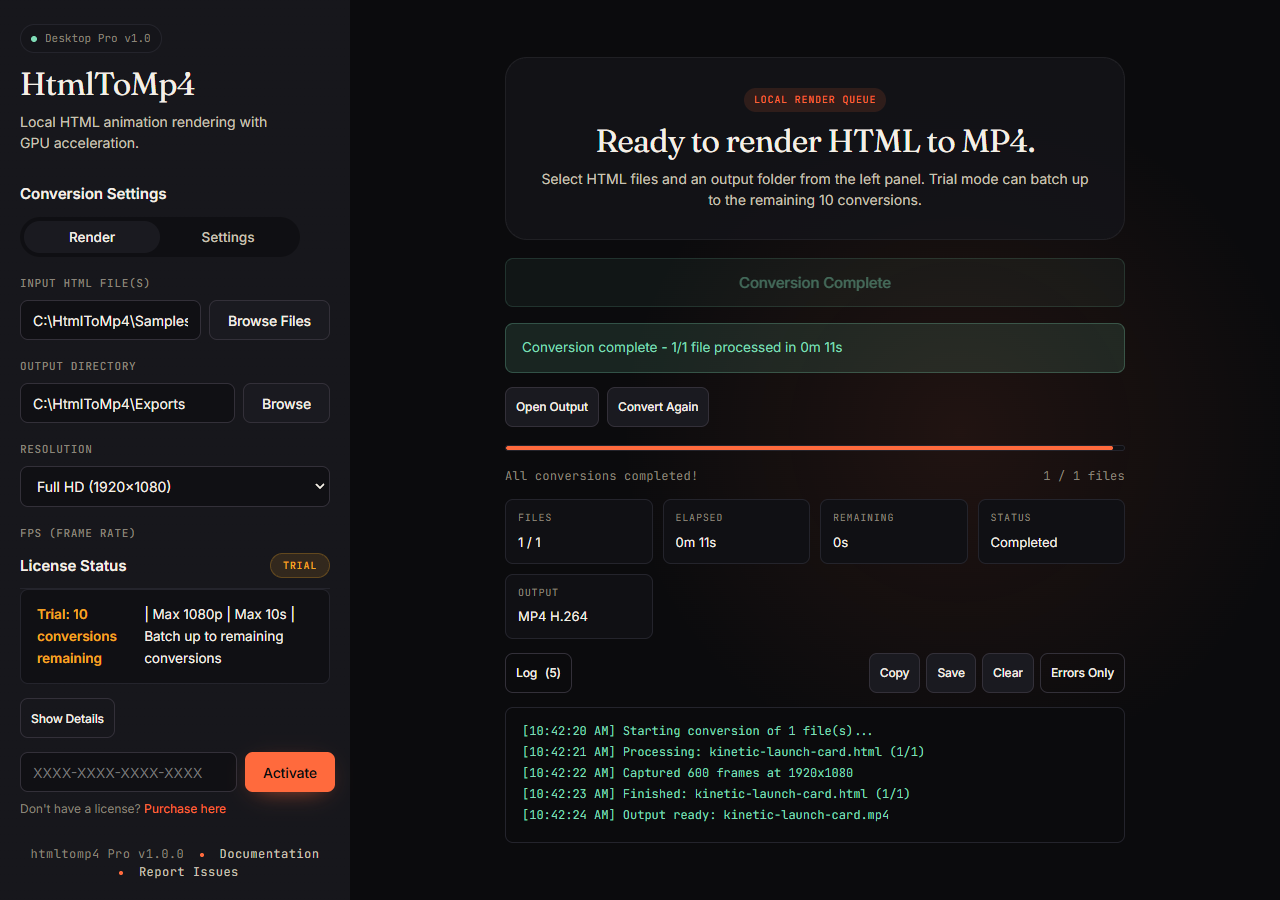
04
Open the finished output or convert again after the app writes the final MP4 stream.
The magic moment
This 15-second capture shows the desktop workflow and rendered output together: local HTML in, deterministic frames captured, H.264 MP4 out.
Technical HTML-to-MP4 proof
A live htmlhub.org animation on the left, and the MP4 rendered from that same HTML with convert.js on the right.
<!-- htmlhub.org / animations / vanta-clouds.html -->
<div id="vanta"></div>

<script>
  VANTA.CLOUDS({
    el: "#vanta",
    mouseControls: true,
    touchControls: true,
    skyColor: 0x78c6df,
    cloudColor: 0xc9d8f2,
    cloudShadowColor: 0x1b3354,
    sunColor: 0xffa24c,
    speed: 0.8,
    scale: 3
  });
</script>Why htmltomp4
If it runs in Chrome, it renders in your MP4.
WebGL, Three.js, Canvas, CSS keyframes, @font-face, complex layouts. requestAnimationFrame is shimmed and stepped deterministically — every frame is frame-perfect.
4K at 60fps on an RTX 2060.
NVENC h264 + hevc with libx264/libx265 fallback. JPEG frame piping cuts capture overhead ~3×. Worker pool runs up to 4 concurrent NVENC sessions with a shared FFmpeg process per worker.
Free trial. Local files. Full licenses when issued.
Private rendering: your HTML, frames, and videos never leave your machine. License activation is the only time the app contacts our servers.
How it works
Build anything you can render in a browser — Three.js scenes, Canvas, SVG, CSS keyframes, typographic animations, dashboards.
Open the Windows x64 desktop app, choose a single file or a batch, then set resolution, framerate, duration, encoder, and parallelism.
NVENC-encoded H.264 or HEVC, faststart-flagged for web playback, deterministic down to the frame. Drop it into Premiere, Figma, or an ad manager.
Who it's for
Motion designers
Render your CSS or WebGL mock-up to 4K/60 without rebuilding it in After Effects.
Social media automation
Parallel batching + deterministic timing means every variant is frame-identical across runs.
Dev teams
Use the CLI in a GitHub Action to generate reference MP4s for visual regression on every PR.
Creators & agencies
No uploads, no queue times, no per-minute bills. Render while you work on the next thing.
Compatibility
Desktop Pro runs locally on Windows x64, prefers NVIDIA NVENC for fast h264/hevc export, and falls back to CPU encoding when a supported GPU is not available.
Pricing
Get the Windows x64 desktop trial for $0 through Gumroad, then unlock Desktop Pro with a full license for up to 3 machines.
Shipping today
Coming soon
Planned
Technical sheet
Under the hood: bundled Chromium, a deterministic RAF shim, JPEG piping into a tuned NVENC-backed FFmpeg.
Questions
The free trial includes 10 local test renders up to 1080p, 10 seconds each, one file at a time. Upgrade to unlock unlimited renders, batch processing, 4K/8K, and commercial use.
Each lifetime license includes activation on up to 3 machines you own. You can deactivate a machine from inside the app. If you change hardware or hit the limit, contact support for an activation reset.
Your HTML files, captured frames, and rendered videos stay on your machine. License activation contacts the license server with your license key, machine ID, app version, and platform.
After activation, the app can continue working offline for up to 30 days before it needs to revalidate the license.
Any NVIDIA card with NVENC — GTX 1050 and up. NVENC h264 is ubiquitous; NVENC hevc unlocks 8K output on newer cards. If no NVENC is available, Desktop Pro falls back cleanly to libx264/libx265 on the CPU.
Real-time screen capture drops frames, shifts colors, and locks your machine. htmltomp4 renders in a hidden Chromium window and steps time deterministically — every frame is frame-perfect and the output is byte-identical across runs.
Remotion is a React framework — you rewrite your animation as components. htmltomp4 takes any HTML file as input: design-tool exports, Three.js demos, CSS keyframe loops, dashboards. No refactor required.
A white or blank MP4 usually means Chromium loaded the HTML file but the page did not render its animation. The most common cause is missing dependencies: scripts, CSS, images, fonts, or Vanta/Three.js files referenced with broken local paths like ../vendor/... or CDN URLs that could not load. Keep all referenced assets beside the HTML, use correct relative paths, or make the HTML self-contained. Also make sure the animation container has an explicit width and height before converting.
HtmlToMp4 works best with self-contained HTML/CSS/JS animations that can run in Chromium without login prompts, user clicks, cross-origin restrictions, unsupported browser APIs, or missing network assets. Very heavy WebGL scenes, live dashboards, remote media, DRM video, webcam/microphone input, and pages that depend on real-time servers may need cleanup before they render reliably.
Yes. It is already headless. Desktop Pro runs locally on Windows x64 and can render with NVENC when a GPU is available or CPU fallback for CPU-only jobs. Full flag reference ships with the app.
It is coming soon as a hosted version of the same rendering engine. Join the waitlist; Desktop Pro owners get early access and founder pricing.
The $0 Gumroad download is the free trial. Buy the Desktop Pro license when you are ready to unlock commercial use, batch rendering, and higher output limits. Support is available at support@htmltomp4.com.